
HOTSPOT SOFTWARE AND WIFI HOTSPOT PLATFORM
Manage guest access, billing, vouchers and WiFi marketing
START FREE TRIAL
What is WiFi Hotspot?
Antamedia WiFi Hotspot is the current platform for managing guest WiFi access, captive portals, splash pages, vouchers, payments, bandwidth limits, analytics and WiFi marketing.
It continues the purpose of Antamedia legacy Hotspot Software for PC while moving guest access management to a modern cloud-based platform.
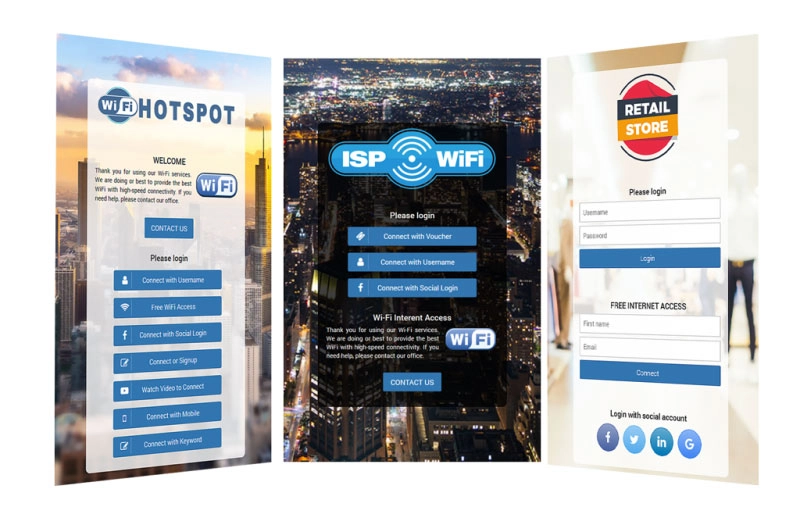
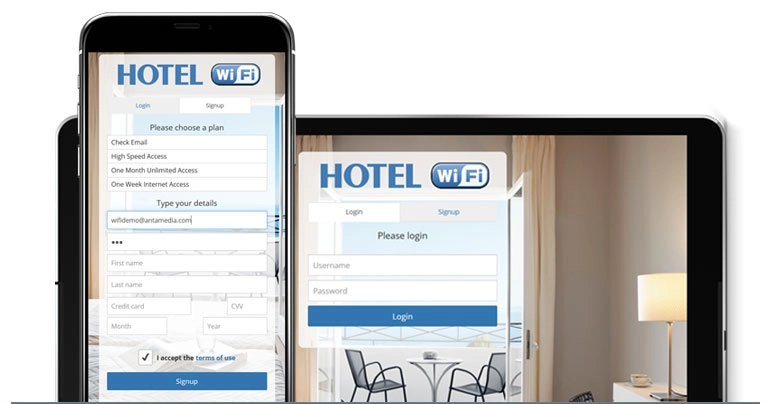
Antamedia Hotspot Software was built to help businesses control and bill Internet access for guests, visitors and customers. It supported browser-based login, vouchers, paid access, customer data collection, surveys, WiFi marketing and usage control.
Today, Antamedia WiFi Hotspot is the recommended solution for new deployments. It provides the same core business logic – guest authentication, captive portal access, billing, access limits, vouchers, analytics and marketing – through a modern cloud platform that is easier to deploy, manage and scale.
WiFi HOTSPOT
ON-PREMISE ENTERPRISE WiFi SYSTEM
Engage WiFi users on smartphones, tablets and laptops
Display image and video ads on your WiFi HotSpot pages for complimentary WiFi access.
Create surveys to get valuable insight into customer needs, behaviour or wishes.
Configure hotspot software to display targeted campaigns based on survey data provided.
Collect customer data and send Email campaigns. Engage customers with special offers and build customer loyalty.

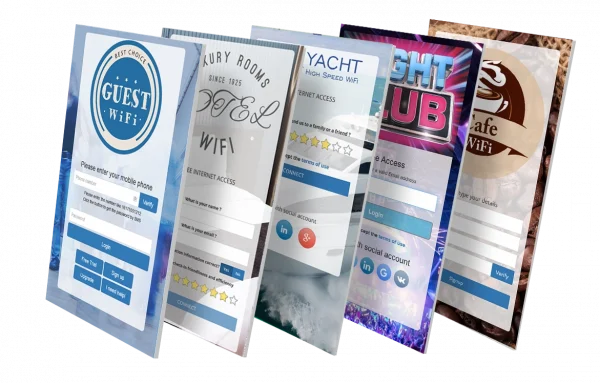
WiFi Branding
Enhance the customer experience with more than 50 responsive HotSpot themes.
All the themes can be easily customized with your logo, background, branding, buttons and special elements like surveys, social login, signup forms.
From Hotspot Software to WiFi Hotspot
Antamedia Hotspot Software was the original PC-based solution for controlling and billing guest Internet access. It helped businesses manage users, vouchers, payments, access limits and WiFi marketing from a local installation.
WiFi Hotspot is the current Antamedia platform for new deployments. It keeps the same business purpose but moves management to the cloud, making it easier to operate multiple locations, update splash pages, control access, collect data and run campaigns without maintaining a local hotspot server.
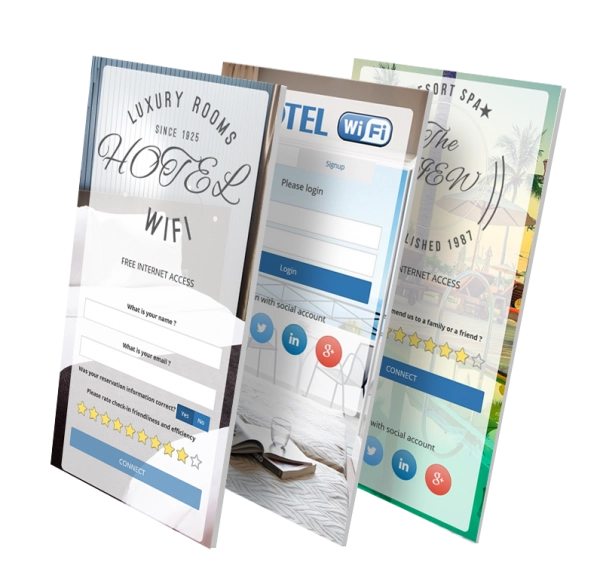
Hotel WiFi
WiFi is a top hotel amenity that significantly influences hotel ranking. A fast and reliable WiFi network increases customer satisfaction, repeated booking and overall revenue.
Hotspot Hotel WiFi is a robust and cost-effective solution suitable for any hospitality deployment.
It controls user Internet access, sets limits, processes payments, engages users, provides powerful analytics and helps you run different marketing strategies to maximize revenue from your hotel WiFi.

Social WiFi
Build a free WiFi with social login, shared keyword, SMS or Email verification, or data collecting. Limit free access time, bandwidth, daytime, daily & monthly logins, expiration and interval between repeated sessions.
Social WiFi is an essential social marketing tool which gathers valuable customer data for your email marketing campaigns. It is the preferred WiFi access method for many customers, as it helps connecting to WiFi in just two clicks.
How WiFi Hotspot Works
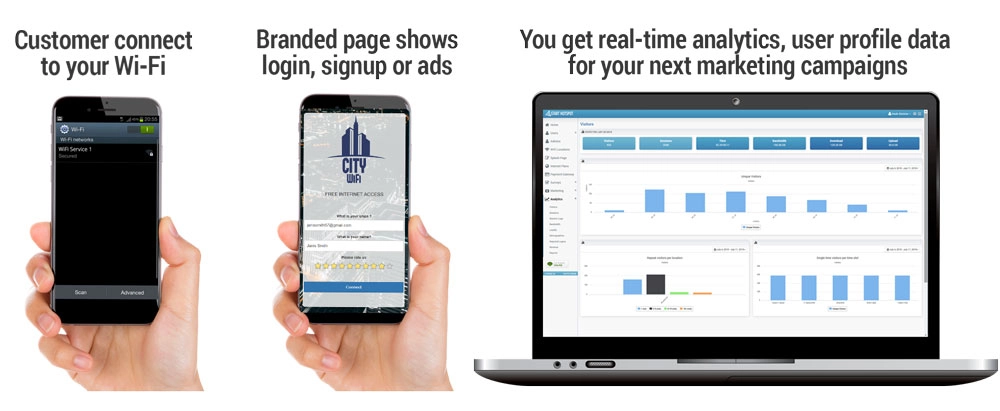
When a guest connects to your WiFi network, WiFi Hotspot redirects the device to your branded captive portal login page.
The guest can connect using free access, voucher code, paid plan, social login, OTP, PMS login, video ad or a custom data collection form. After login, WiFi Hotspot applies the configured speed, time, quota and access rules.
Each connected device is limited with download and upload speed, available bandwidth transfer, time to use your service, so you can ensure an excellent WiFi experience for all your guests.
The platform can collect guest data and consent, redirect users to a selected website or digital service, and provide analytics, reports and marketing data from the cloud dashboard.
Developed since 2006.
As the pioneers in WiFi industry, we have been improving and perfecting Hotspot software from 2005 to match your needs in this fast changing industry.
Trusted by Fortune 500
HotSpot is implemented in many top companies worldwide. It’s feature-rich, scalable, hardware independent and it easily adapts to any WiFi management requirement.
Easy, Powerful, and Reliable
Our software was built with your needs and concerns in mind. It easily scale from a little shop to a major hotel chain with the same simple interface.
Hotspot Software FAQ
Antamedia Hotspot Software is the legacy PC-based solution for managing and billing guest Internet access through a browser-based login page, vouchers, payments, access limits and WiFi marketing tools.
The current Antamedia solution is WiFi Hotspot, a cloud-based platform for managing guest WiFi access, captive portals, splash pages, vouchers, payments, analytics and WiFi marketing.
WiFi Hotspot is the recommended platform for new guest WiFi and captive portal deployments. Existing Hotspot Software users can use it as a modern migration path when moving from local PC-based hotspot management to cloud-based WiFi access control.
Yes. WiFi Hotspot supports paid Internet plans, vouchers, online payments, bandwidth limits, time limits, quotas and access rules for free, limited or premium guest WiFi access.
Yes. WiFi Hotspot is suitable for hotels, cafés, restaurants, ISPs, coworking spaces, shopping malls, transport providers, hospitals and public venues that need controlled guest Internet access.
Yes. WiFi Hotspot can work with Antamedia Engage and Live Chat to collect guest data, manage consent, support users and run follow-up marketing campaigns.
Some of our customers

