Kiosk Software


Ultimate Kiosk Software Solution

Internet Kiosk software converts computer into self-service kiosk. It prevents hacking and downtime, blocks the system keys like Ctrl-Alt-Del, restricts access to the system, desktop, drives, folders and programs.
Lite
$69
$55
$55
Standard
$129
$103
$103
Premium
$199
$159
$159
Enterprise
$249
$199
$199
Lite
Standard
Premium
Enterprise
Lock down your kiosk or public computer
Kiosk software replaces system shell and blocks access to the Windows Explorer, drives, desktop and taskbar. It prevents access to the Windows system files, standard browser menus and prevents hacking and downtime.
Blocks System Keys
Blocks system keys like Ctrl-Alt-Del, Windows key, Ctrl-Esc and other keys that might compromise security. Compatible with any Windows OS, including Vista and Windows 7 32bit and 64bit.
Runs in Limited Account
Creates, configures and runs under standard (limited) Windows user account for maximum protection. This additional security level prevents user to delete any system files that are required for the computer to work.
Hides System Drives
Hides and/or restricts access to specified drives to avoid anything getting deleted or tampered with. You can leave one drive visible where customers could save files, or you can show all drives but prevent user from saving or opening anything from these drives.
Folder Access Rights
Defines file and folder access rights to keep your computers safe. Configure desired access rights for each folder in your system: full access, read only, read & write, read & execute, or prevent access completely.
Blocks Applications and Program Options
Blocks specified application executable names and program options within applications. You can disable access to application options like Open, Save as, Properties. The same option can be used to exclude application from automatic closing on customer logout.
Password Protected Kiosk Setup
Requires password for accessing the Kiosk Setup or operating system. Computer runs in a lock-down kiosk mode, until admin presses the hot-keys and enters the password.
Secure Browser
Prevents the user from accessing the Internet Explorer menus, replaces popups and all other options that can open system options. Secure Internet Browser provides provides complete browsing experience for the customer while reducing maintenance time
Limited Browsing
Limits browsing to specified URLs. For example, you can allow your company website, facebook login page and disable other pages
Protect Customer Privacy
Automatically deletes browser cache and history of visited pages. Prevent saving cookies which reveal customer identity and leave traces of the kiosk usage. Kiosk software restarts Secure Internet Browser after inactivity and prepares kiosk for your next customer.
Disable File Downloads
Save on bandwidth costs and increase security by disabling file downloads, pop-ups, Java, ActiveX, scripts
Lite
Standard
Premium
Enterprise
Collect money from your customers with coin and bill acceptors
Payment Station helps you collect money from your customers using coin and bill acceptors. Software supports CCTalk protocol used by major hardware manufacturers.
Accepts credit cards payments and keep 100% of your profits
Save time and resources by allowing the customer to pay for Kiosk usage or WiFi HotSpot Internet access. The secure automated payment process lets you accept over 70 major internet payment gateways including PayPal.
Easy to configure simple and complex pricing
Create simple pricing like $5 per hour, or create complex price plans that are used to create tickets for returning users. Define available time, maximum daily time, number of logins and price for each plan.
Lite
Standard
Premium
Enterprise
Share one customer account for all locations
Connect kiosks to the same database server (which is free of charge) and share user accounts among all your locations. Account can be used to login on another Kiosk or WiFi HotSpot which can be installed even on the same computer.
Tabbed Secure Browser
Limits number of open pages in tabbed Secure Browser, configures start pages that will automatically open in browser tabs, forces customer seeing desired content by hiding tab close button, allows only selected URLs to open in browser tabs.
Configure Internet Explorer Settings
If you choose Internet Explorer over integrated Secure Browser, you will still have many configurable options to maintain good system stability and minimize ability for exploits. For example disable Open File, browser context menu, changes of security levels, etc.
Help users to easily send Email
Offer your customers quick Email sending through the integrated Email client or help them choose and connect on their own Email provider like Gmail, Yahoo etc.
Lite
Standard
Premium
Enterprise
Customizable Themes
Easily change Kiosk Start-Page theme displayed in customer browser. You can create your own multilanguage themes using white-label themes included with kiosk software, and include your own graphics and functionality.
Secure Browser Skins
Customizable browser look and feel. Change color to blue, black, green, brown, select large browser buttons for touch-screen or smaller buttons to save space, show or hide URL address bar, search engine, virtual keyboard, close, restore, minimize buttons, turn on animation on the browser background, run browser full-screen.
Customize Start Page
Make a great strong first impression with a start page that match the Kiosk purpose. Show a website landing page, open multiple tabs with their own custom URLs, or choose one of the predefined white-label start pages – airport, hotel, retail, beach, free use, kiosk login, pay and use.
Create your own Start Menu
Create Windows-like Start Menu items with programs, games and folders. Customers may use these applications free or for a fee, while you do not have to worry about regular security issues. Creating menu is easy – create folders and drag and drop files inside.
Self Branding
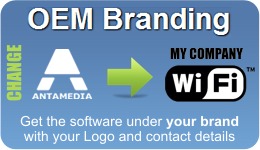
Change your logo, contact details, graphics and links to the webpages. Kiosk files are white-labeled and you can modify them to suit your needs and to match your corporate identity.
Digital Signage
Show notifications or advertisements by combining videos, images, webpages, flash animations. Choose one of the predefined layouts of the screen split in to the 2,3 or 4 parts, each configurable with different content.
Multilanguage Support
Integrated language editor helps you find and modify desired sentences, or translate kiosk software to your own language.
Custom Development
We can assist you or develop an entirely new theme for your business, interface your application with the Kiosk software, or develop new software that will run on top of the secure Kiosk shell. Please contact us for quote.
Lite
Standard
Premium
Enterprise
Minimize maintenance time with a Remote Control
Maintain and support unattended systems instantly without having to travel to sites. Access your self-service computers remotely and configure applications, troubleshoot, resolve issues, run updates, help customers, monitor suspicious activity.
Transfer files to your Kiosks
Save time and reduce the overhead and maintenance issues associated with sending files on your unattended computers. Transfer new updates, corporate branding files, xml configurations, content updates.
Virtual Keyboard for complete touch screen support
Eliminate the need for keyboards with the integrated virtual keyboard. Your customers can display virtual keyboard when they need it and use a kiosk touchscreen to enter data.
Online reports helps you track your business
Remotely monitor all your computer locations, check if they are up and running, get statistics charts, filter reports by users, IP or MAC addresses, view screenshots, maintain computers, distribute files and more. Offer includes renewable SaaS online service. For larger installations you can purchase full SaaS solution and install on your own server.
Trial
Trial
3
Months
Months
12
Months
Months
WiFi HotSpot Kiosk
Increase revenue and expand service around your kiosk by installing Antamedia HotSpot and an access point. WiFi devices such as tablets, laptops, smart phones can utilize your services free or for a fee. Bill for Internet use by time, data transfer and offer different price plans for returning customers.
Trial
Trial
Trial
3
Months
Months
Creating YOUR kiosk is easy
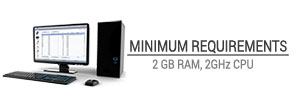
You need a PC and our Kiosk software. Antamedia Kiosk software works on any Windows and any hardware. It’s touch-screen kiosk compatible and runs even on a low-spec computers.

Kiosk software runs on a standalone computer. If you are looking for multi-kiosk deployment, please check-out samples and contact us with your requirements for a custom solution.
Check-in & Reservation
Minimize staffing requirements and automate common tasks with applications. Popular uses are for airport and hotel check-in, concerts and fitness clubs, hospitality and sports events. Self-service reservations are popular for restaurant tables, golf course, spa centers where customer privacy matters.
In-Store Product Information
Provide accurate product information, product ordering and guided selling to increase sales revenue. Show product comparison, how-to, and help customer easily find the product in your store. Accurate product information reduce returns and increases chance for additional accessory orders.
Internet Kiosk
Internet kiosks offer high speed Internet access, Email sending, Office software, PC and online gaming, entertainment features. Antamedia Kiosk software helps you easily implement free or pay for use kiosks, and configure applications available for customer use.
WiFi HotSpot Kiosk
Expand service around your kiosk by installing Antamedia HotSpot and an access point. WiFi devices such as tablets, laptops, smart phones can utilize your services free or for a fee. Bill for Internet use by time, data transfer and offer different price plans for returning customers.
Pay Station
Self-service ticket dispenser helps you automate selling of the prepaid Internet tickets. It runs as a standalone service, or as an integrated part of the Kiosk. It collects bill, coin, credit card and PayPal customer payments and creates tickets which can be used on all kiosks or hotspots in your network.
Digital Signage
Engages customers and arouses interest in your products and services. Show retail advertizing, consumer information, travel and weather updates by combining videos, images, webpages, flash animations. Unlike print materials, changes can be made in a minute with no additional cost.
Loyalty programs
Help customer check their points or account balance. Show targeted per-customer special offers on kiosk. Implement NFC contactless smart cards that can be used as a payment device, loyalty card or entrance card. Antamedia Kiosk software and loyalty solution can fit into your project.
Queuing & Guidance
Manage large number of customers with small number of service representatives. Integrate with your database to provide representative availability, remote VoIP communication, and guidance. Deployments range from customer service, waiting rooms, government services to business incubators.
Custom Development
We can assist you or develop an entirely new theme for your business, interface your application with the Kiosk, integrate with your Hotel, Resort, Airline, Hospitality PMS system, or develop new software that will run on top of the secure Kiosk shell. Please contact us for more details.
Try it Free
See how easy it is to setup
Learn the powerful management features.
Buy it when you are convinced we are the best.
Learn the powerful management features.
Buy it when you are convinced we are the best.
Buy Your License


Companies using Antamedia Kiosk have observed: