
Bandwidth Software
- Control download, upload and bandwidth quotaControl download, upload and bandwidth quota
- No client software installationNo client software installation
- Manage monthly & daily limitsManage monthly & daily limits
- Fixed MAC to lock account to deviceFixed MAC to lock account to device
- URL tracking of visited websitesURL tracking of visited websites
- Advanced User and Autologin SettingsAdvanced User and Autologin Settings
- Exclude IP ranges from Web Filtering to allow full accessExclude IP ranges from Web Filtering to allow full access
- Block websites and redirect to desired URL, IP or custom pageBlock websites and redirect to desired URL, IP or custom page
- DNS Web Filter for website filtering (HTTP, HTTPS, 100+ categories)DNS Web Filter for website filtering (HTTP, HTTPS, 100+ categories)
- Number of maximum simultaneous usersNumber of maximum simultaneous users
- Windows based with full supportWindows based with full support
- Watch online activity per userWatch online activity per user
- Control bandwidth down to user levelControl bandwidth down to user level
- Manage download and upload limitsManage download and upload limits
- Manage bandwidth quota limits for all usersManage bandwidth quota limits for all users
- Manage monthly & daily limitsManage monthly & daily limits
- Internet Sharing (NAT)Internet Sharing (NAT)
- RRAS Compatibility (recommended on Server OS)RRAS Compatibility (recommended on Server OS)
- Multiple location supportMultiple location support
- Control unknown users in your networkControl unknown users in your network
- Admin login required to access all software optionsAdmin login required to access all software options
- Connection log for all device connectionsConnection log for all device connections
- Activity log with session start and stop, time, trafficActivity log with session start and stop, time, traffic
- Customize restricted pageCustomize restricted page
- Manage monthly & daily limitsManage monthly & daily limits
- Fixed MAC to lock account to deviceFixed MAC to lock account to device
- Configure fixed IP or MAC devicesConfigure fixed IP or MAC devices
- MAC and IP whitelist to pass with no authenticationMAC and IP whitelist to pass with no authentication
- Host whitelist to allow free websitesHost whitelist to allow free websites
- Flexible user accounts with variety of limitsFlexible user accounts with variety of limits
- IP and port filtering to block outgoing trafficIP and port filtering to block outgoing traffic
- URL tracking logs username, IP, MAC etcURL tracking logs username, IP, MAC etc
- DNS Web Filter for URL website filtering DNS Web Filter for URL website filtering
Lite
- $49$99
- Control download, upload and bandwidth quota

- No client software installation
- Manage monthly & daily limits
- Fixed MAC to lock account to device
- URL tracking of visited websites
- Advanced User and Autologin Settings
- Exclude IP ranges from Web Filtering to allow full access
- Block websites and redirect to desired URL, IP or custom page
- DNS Web Filter for website filtering (HTTP, HTTPS, 100+ categories)
- Number of maximum simultaneous usersControls bandwidth usage up to 20 concurrent users, without client software installation. Realtime user activity on screen.20
- Windows based with full support
- Watch online activity per user
- Control bandwidth down to user level
- Manage download and upload limits
- Manage bandwidth quota limits for all users
- Manage monthly & daily limits
- Internet Sharing (NAT)
- RRAS Compatibility (recommended on Server OS)
- Multiple location support
- Control unknown users in your network
- Admin login required to access all software options
- Connection log for all device connections
- Activity log with session start and stop, time, traffic
- Customize restricted page
- Manage monthly & daily limits
- Fixed MAC to lock account to device
- Configure fixed IP or MAC devices
- MAC and IP whitelist to pass with no authentication
- Host whitelist to allow free websites
- Flexible user accounts with variety of limits
- IP and port filtering to block outgoing traffic
- URL tracking logs username, IP, MAC etc
- DNS Web Filter for URL website filtering


Standard
- $74$149
- Control download, upload and bandwidth quota
- No client software installation
- Manage monthly & daily limits
- Fixed MAC to lock account to device
- URL tracking of visited websites
- Advanced User and Autologin Settings
- Exclude IP ranges from Web Filtering to allow full access
- Block websites and redirect to desired URL, IP or custom page
- DNS Web Filter for website filtering (HTTP, HTTPS, 100+ categories)
- Number of maximum simultaneous usersStandard edition with 50 concurrent users. Includes advanced user settings, whitelists, connection and activity log.50
- Windows based with full support
- Watch online activity per user
- Control bandwidth down to user level
- Manage download and upload limits
- Manage bandwidth quota limits for all users
- Manage monthly & daily limits
- Internet Sharing (NAT)
- RRAS Compatibility (recommended on Server OS)
- Multiple location support
- Control unknown users in your network
- Admin login required to access all software options
- Connection log for all device connections
- Activity log with session start and stop, time, traffic
- Customize restricted page
- Manage monthly & daily limits
- Fixed MAC to lock account to device
- Configure fixed IP or MAC devices
- MAC and IP whitelist to pass with no authentication
- Host whitelist to allow free websites
- Flexible user accounts with variety of limits
- IP and port filtering to block outgoing traffic
- URL tracking logs username, IP, MAC etc
- DNS Web Filter for URL website filtering
Premium
- $124$249
- Control download, upload and bandwidth quota
- No client software installation
- Manage monthly & daily limits
- Fixed MAC to lock account to device
- URL tracking of visited websites
- Advanced User and Autologin Settings
- Exclude IP ranges from Web Filtering to allow full access
- Block websites and redirect to desired URL, IP or custom page
- DNS Web Filter for website filtering (HTTP, HTTPS, 100+ categories)
- Number of maximum simultaneous usersTop selling edition with 100 concurrent suitable for majority of businesses, companies, government.100
- Windows based with full support
- Watch online activity per user
- Control bandwidth down to user level
- Manage download and upload limits
- Manage bandwidth quota limits for all users
- Manage monthly & daily limits
- Internet Sharing (NAT)
- RRAS Compatibility (recommended on Server OS)
- Multiple location support
- Control unknown users in your network
- Admin login required to access all software options
- Connection log for all device connections
- Activity log with session start and stop, time, traffic
- Customize restricted page
- Manage monthly & daily limits
- Fixed MAC to lock account to device
- Configure fixed IP or MAC devices
- MAC and IP whitelist to pass with no authentication
- Host whitelist to allow free websites
- Flexible user accounts with variety of limits
- IP and port filtering to block outgoing traffic
- URL tracking logs username, IP, MAC etc
- DNS Web Filter for URL website filtering
Enterprise
- $174$349
- Control download, upload and bandwidth quota
- No client software installation
- Manage monthly & daily limits
- Fixed MAC to lock account to device
- URL tracking of visited websites
- Advanced User and Autologin Settings
- Exclude IP ranges from Web Filtering to allow full access
- Block websites and redirect to desired URL, IP or custom page
- DNS Web Filter for website filtering (HTTP, HTTPS, 100+ categories)
- Number of maximum simultaneous usersAll features with unlimited concurrent users. Includes statistics, Internet sharing, URL tracking & filtering, website blocking.Unlimited
- Windows based with full support
- Watch online activity per user
- Control bandwidth down to user level
- Manage download and upload limits
- Manage bandwidth quota limits for all users
- Manage monthly & daily limits
- Internet Sharing (NAT)
- RRAS Compatibility (recommended on Server OS)
- Multiple location support
- Control unknown users in your network
- Admin login required to access all software options
- Connection log for all device connections
- Activity log with session start and stop, time, traffic
- Customize restricted page
- Manage monthly & daily limits
- Fixed MAC to lock account to device
- Configure fixed IP or MAC devices
- MAC and IP whitelist to pass with no authentication
- Host whitelist to allow free websites
- Flexible user accounts with variety of limits
- IP and port filtering to block outgoing traffic
- URL tracking logs username, IP, MAC etc
- DNS Web Filter for URL website filtering
Bandwidth Manager Software Add-ons
Remote Control Software
Easy-to-use remote control software helps you administer and control remote computers any time and anywhere as if you were sitting right in front of them. No installation, no access codes or IPs to remember.
$99 $79
OEM Branding
Get the OEM branded HotSpot and run your own HotSpot business. Your company name, logo and contact details Instead of Antamedia. You’ll get your HotSpot installer ready to deploy at customer premises. Customers will see your logo in the webpages and the main software user interface. Does not include licenses.
$1200
Testimonials
“User friendly and easy for setup. Great application for control of Internet usage. It is perfect solution for my Hostel. Provide full control over Internet resources without interrupting guests from their everyday Internet activity at the same time. And most important part, don`t require any work from my side.”
“Perfect solution. I spend only 2 minutes for setting computer as gateway on network and 2 more minutes for starting a control over my office wired and wireless computers. All our business partners have WiFi access based on autologin as soon they are in the building. Our Manager and employees have User Profiles created based on specific business needs. It reduce Internet bandwidth costs buy half in first month only. Perfect tool for every business where Internet is used.”
Frequently Asked Questions
No, after licensing you will keep all your configurations and settings, and continue running the software without limitations.
We allow license transfer to a different computer. License is tied to the machine hardware, so if it fails we will issue a new license. These changes are tracked to ensure fair-use.
Yes. Our customers are entitled to discounted upgrades to a higher software edition. Upgrades are billed for a price difference only. For example, upgrade from the standard to the premium edition cost $150. Please contact our sales for upgrades.
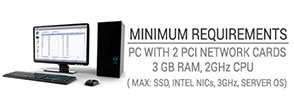
For maximum performance and stability, please use two network cards model: Intel PRO /1000 PT SERVER ADAPTER PCI-E (EXPI9400PTBLK). For ultimate performance, we recommend Server OS (like 2012, 2008R2) and RRAS and DHCP roles configured within the OS.
Our free support is available by Email, knowledge base, phone, live chat, forums. If you need more, please contact us for paid premium priority support with remote desktop maintenance and second level assistance.
Unlike other available hotspot solutions, Antamedia does not share profit. All profit is for you, whether you use voucher tickets, credit card processing or other supported billing methods.
Who is Using Antamedia software

