
INTERNET CAFE AND KIOSK MANAGEMENT SOFTWARE
Manage PCs, kiosks, sessions, billing and WiFi access
START FREE TRIAL
What is Cafe & Kiosk?
Antamedia Cafe & Kiosk is the modern platform for managing internet cafés, gaming centers, public-access PCs, secure kiosks and shared computer environments.
It helps businesses control user sessions, applications, billing, POS items, vouchers, WiFi access and device usage from a central dashboard.
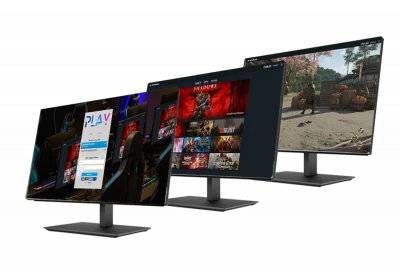
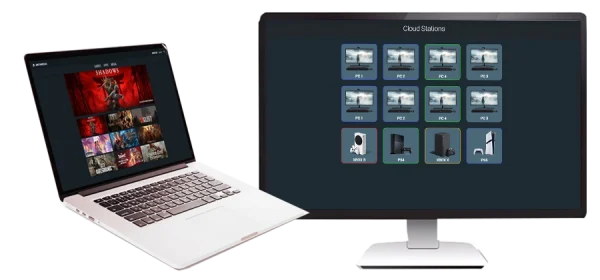
This page is intended for businesses looking for internet cafe software, cyber cafe management, gaming center control or public computer billing. Antamedia Cafe & Kiosk is the recommended current solution for these environments.
It keeps the familiar internet café workflow – user sessions, prepaid access, vouchers, billing, POS, app control and reporting – while adding modern cloud management, kiosk mode, remote device control, WiFi Hotspot integration and easier multi-location operation.
Internet Cafe Management for Windows PCs
Windows 11 full support
All editions
Use supported Windows PCs across your floor. In classic Internet Cafe deployments, you install the server component on the main PC that manages client computers. If you’re planning a move to Cafe & Kiosk, the same operational mindset applies: central control, consistent endpoint configuration, and predictable session enforcement.
Server, Clients and WiFi Control
All editions
Each license includes a server and a number of client devices. Scale by adding more clients as your business grows. PCs and consoles are counted as managed clients. Where WiFi is part of your service, Antamedia’s approach keeps WiFi customer management aligned with your public-device workflow, while Cafe & Kiosk builds on that shared account model inside the Antamedia Platform.
Play & Pay Prices
All editions
Control how customers are charged for computer and console usage: per minute, time blocks, longer-use discounts, time-of-day pricing, or free sessions. Group computers to offer different tiers, such as standard and VIP. These pricing principles remain central in the Cafe & Kiosk evolution, so existing Internet Cafe pricing logic remains migration-friendly.
Pre-Paid Prices and Vouchers
All editions
Create price plans that generate accounts, refills, and ticket vouchers. Combine limits such as time, allowed program groups, expiry logic, daily limits, and, where applicable, data transfer constraints. Customers can reuse the same account across multiple logins until it expires — a practical foundation for migrating users into a modern Cafe & Kiosk flow while keeping familiar billing rules.
Security
All editions
Apply kiosk-style restrictions and anti-tamper controls: block system keys, restrict drives and Control Panel access, and enforce a controlled desktop experience. This security-first approach is part of what Cafe & Kiosk brings into the modern Antamedia Platform.
Employee Account Management
All editions
Assign staff roles such as Administrator, Location Admin, Marketing Admin, Billing Admin, and others with predefined permissions. Limit access to sensitive areas like setup, statistics, and account management to reduce operational risk and prevent unauthorized changes. These role-based controls remain a key requirement for both legacy and modern deployments.
Internet Cafe Software Features
Complete Control of Your Gaming Center
Easily Generate User Accounts and Tickets
All editions
Cafe & Kiosk supports multiple access methods, including individual accounts, prepaid vouchers, one-time passwords, and instant access after a short video ad. You can also offer limited free trials or automate signups with integrated payments, while session rules can automatically log out inactive users.
POS (Point of Sale)
Standard
Cafe & Kiosk POS lets staff sell products and services directly from the same dashboard used to control sessions. Sales can be tied to the correct station and user, with fast item selection and centralized history for easier reconciliation and reporting.
Bills
Standard
Bills provides a simple checkout flow that combines session charges and POS items in one place. Staff can open a bill, add usage and extras, close it when the customer is done, and issue a receipt with full transaction history, including cash, card, wallet, and split payments.
POS Statistics and Analytics
All editions
Get a live overview of all connected stations from the Cafe & Kiosk dashboard. Every session is tracked in real time, with detailed logs and usage reports to support operational decisions, auditing, and performance tracking.
Remote Power and Device Control
Standard
With Smart Power Integration, Cafe & Kiosk works with Tuya-compatible smart plugs to remotely power on or off devices such as TVs, gaming consoles, projectors, and more — directly from the dashboard, without physical access.
Personalized User Experience
All editions
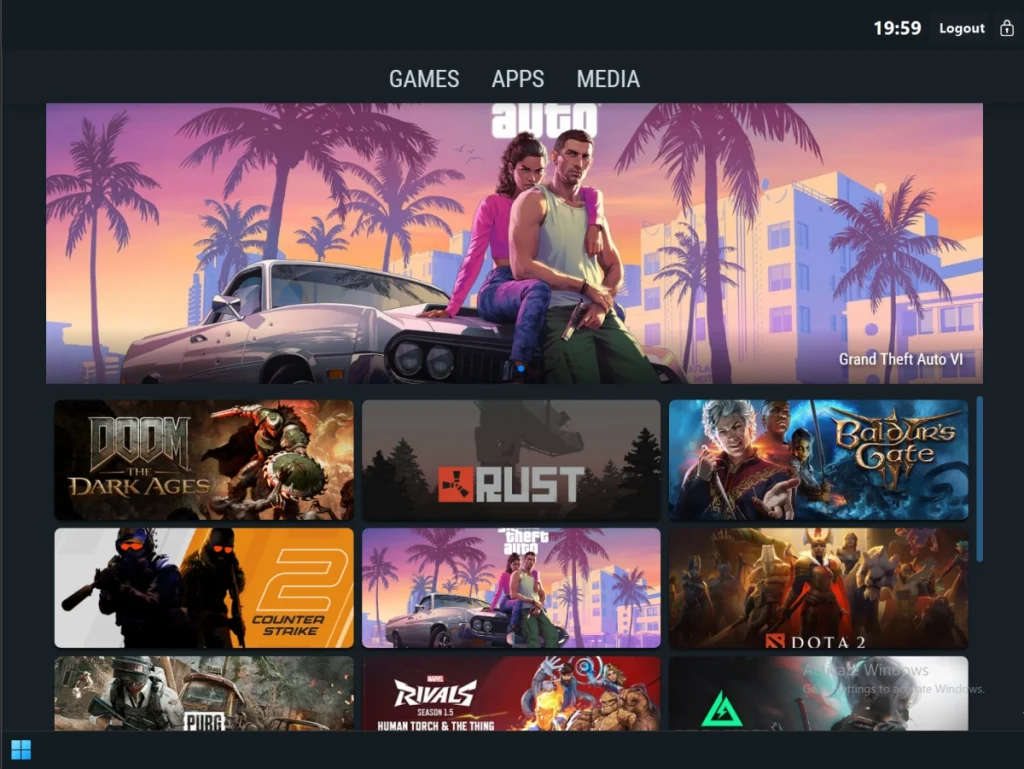
Customize the login screen with your logo, background colors, images, and announcements, including a unique splash page per station. You can also run promotions with image and video ads and send post-session follow-ups via email, SMS, or WhatsApp with GDPR-oriented marketing features.
Control WiFi Customers in Your Gaming Center
Control Your WiFi Customers
All editions
Use WiFi Hotspot to control and bill customers without installing software on their devices. Customers can receive a free trial or authenticate in the browser using a username and password. Cafe & Kiosk emphasizes a unified account experience across public PCs, consoles, and WiFi.
Free Access
Standard
Offer free or paid WiFi with limits by time, data transfer, bandwidth quota, daily limits, logins, simultaneous sessions, and schedules. Collect customer data such as email, phone, room number, or custom fields for marketing and reporting. These WiFi workflows remain important during migration because Cafe & Kiosk is designed to share accounts with WiFi inside the Antamedia Platform.
Download and Upload Rate Control
All editions
Set per-account speed limits to monetize premium tiers, such as VIP accounts, and protect bandwidth for all customers.
Bandwidth Quota Control
Standard
Define traffic quotas per account, including daily, monthly, or combined limits, with options for add-on bandwidth.
Maximize Revenue of your Gaming Center
Print your own tickets
All editions
Print accounts, refills, and receipts with multiple templates. Create ticket batches for distribution and configure expiration rules (based on first use or last login). These are common operational requirements to carry forward as we move toward Cafe & Kiosk.
Promote Your Business
Standard
Show client promotional ads before or after login to advertise offers before customers start their session. Keep promotional surfaces consistent while transitioning to a Cafe & Kiosk aligned experience.
Easy, Powerful and Reliable
Internet Cafe is a proven system that scales from a single location to multi-site environments with consistent control and billing logic. Cafe & Kiosk direction keeps this operational simplicity while modernizing how environments are managed and extended.
Increase your eCenter profit
Use staff controls, POS billing for add-ons, and reporting to reduce leakage and increase revenue. If your business depends on these workflows today, plan the Cafe & Kiosk transition around preserving the same control points.
26 Years of Development
Internet Cafe is the first Antamedia brand application and has evolved over many years based on real operator needs. Cafe & Kiosk is positioned as the next step of that evolution – keeping what operators rely on while moving forward with a modern platform foundation.
From Internet Cafe Software to Cafe & Kiosk
Antamedia Internet Cafe is the original Windows client/server application designed to secure and manage public computers, self-service devices, and WiFi Hotspot users, with POS capabilities. Public PCs are protected with a client login screen, while WiFi users authenticate in the browser.
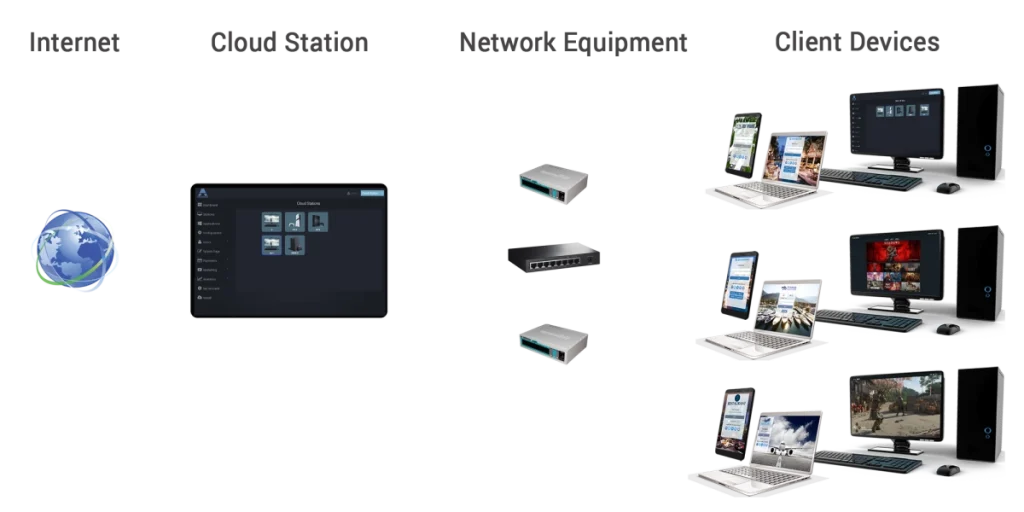
Cafe & Kiosk is the modern evolution of this solution within the Antamedia Platform. It is built on newer architecture and designed to support modern deployments, PC and console control, kiosk environments, payment scenarios, and unified accounts with WiFi.
If you’re an existing Internet Cafe user, your current workflow is a strong baseline for a migration-friendly upgrade path to Cafe & Kiosk.
Antamedia Kiosk
Antamedia Kiosk mode is designed for libraries, hotels, schools, hospitals and public service points that need secure unattended access with minimal maintenance.
It turns a standard Windows PC into a controlled self-service station, allowing visitors to complete tasks without staff assistance. The experience remains consistent, secure and reliable even in high-traffic public environments.
Administrators can manage every kiosk from a single cloud dashboard, using a secure browser workflow, website controls, session limits and monitoring tools to simplify daily operations.
You decide which websites or web apps are available, define a branded start page and enforce the same session flow for every user. This reduces support incidents, limits misuse and gives your team better control across one or multiple locations.
Who is Using Internet Cafe Software?
Internet Cafe FAQ
Cafe & Kiosk software helps businesses manage shared PCs, internet cafés, gaming stations, secure kiosks, sessions, billing, POS items, vouchers, applications and user access from one platform.
Cafe & Kiosk is the recommended current Antamedia solution for new internet café, gaming center, kiosk and public computer deployments. Existing Internet Cafe users can use it as a migration path when moving to the newer Antamedia platform.
Yes. Cafe & Kiosk can manage gaming PCs, user sessions, pricing plans, POS sales, approved applications, reports and supported remote device control for gaming centers and eSports venues.
Yes. Cafe & Kiosk supports session billing, prepaid and postpaid access, vouchers, POS items, bills, checkout workflows and payment options depending on the deployment.
Yes. Cafe & Kiosk can be used together with Antamedia WiFi Hotspot to manage guests who connect with their own phones, laptops or tablets through browser-based authentication.
Yes. Libraries, schools and universities can use Cafe & Kiosk to provide controlled access to approved applications, websites and learning resources while restricting unauthorized system access.
Some of our customers

